As Ethereum's price holds steady at $2,006.81 amid a 24-hour gain of and $85.57, Layer 2 networks stand out as the practical choice for users tired of mainnet gas fees that can devour transaction budgets. In this Ethereum L2 beginner guide, we dive into layer 2 onboarding essentials, focusing on secure crypto wallet L2 setups that let beginners tap into low-cost, high-speed DeFi without the headaches. With L2 solutions slashing fees by over 90%, networks like Arbitrum and Optimism make blockchain usable for everyday swaps and dApps.

Why Layer 2 Networks Dominate Ethereum Scaling in 2026

Layer 2 networks build on Ethereum's security while handling transactions off the congested mainnet. They batch updates and post proofs back to Layer 1, inheriting its robustness without the full cost. Optimistic rollups like Arbitrum assume validity first and challenge frauds later; zk-rollups use zero-knowledge proofs for instant finality. Polygon operates as a sidechain with its own validators, blending speed and Ethereum ties.

Analytically, L2 TVL has exploded, signaling trust. Arbitrum leads with broad dApp support, Optimism pushes Superchain interoperability, Base leverages Coinbase's ecosystem for seamless fiat ramps, and Polygon excels in gaming and NFTs. For beginners, this means transactions costing pennies instead of dollars, settling in seconds not minutes. Yet, security hinges on proper L2 wallet setup; missteps expose funds to bridges or phishing.

These networks aren't gimmicks; they're infrastructure. With Ethereum at $2,006.81, L2s unlock sustainable participation, avoiding speculative frenzy for steady wealth building.

Selecting the Optimal Wallet for Secure L2 Access

MetaMask reigns supreme for L2 wallet setup due to its intuitive interface and native L2 support, but alternatives like Rabby offer gas optimization, and hardware integrations via Ledger boost safety. Avoid custodial wallets; self-custody empowers control. Prioritize open-source code audited by firms like Trail of Bits.

Download solely from official sites: metamask. io for browser extension or app stores for mobile. During setup, generate a 12- or 24-word seed phrase, etch it on metal for durability, and never screenshot it. Enable two-factor authentication where possible, though hardware wallets eclipse software for holdings over $1,000.

Fortify Your L2 Wallet: Essential Security Checklist

  • Create a robust, unique password for your wallet and enable two-factor authentication where possible🔒
  • Securely store your seed phrase offline in a safe, physical location away from digital devices💾
  • Verify all URLs and avoid clicking suspicious links to protect against phishing attacks🕵️‍♂️
  • Regularly update your wallet software and associated apps to the latest versions for security patches⬆️
  • Use a hardware wallet for storing large cryptocurrency holdings on L2 networks🛡️
Outstanding! Your Ethereum L2 wallet is now fortified with essential security measures, ready for safe, efficient transactions in 2026.

Opinion: Skip flashy new wallets; proven ones like MetaMask, updated religiously, minimize risks in a phishing-riddled space.

Configuring Your Wallet for Top Ethereum L2 Networks

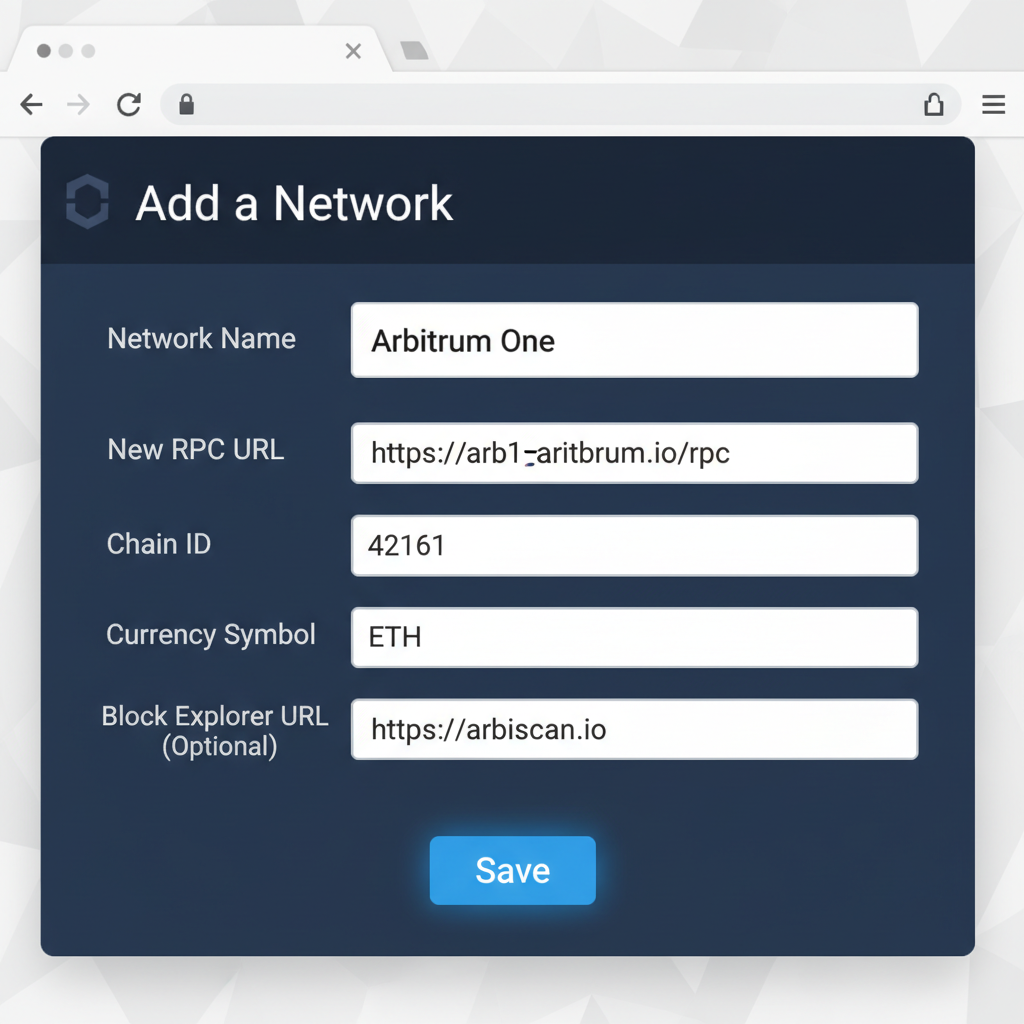
Adding networks manually ensures compatibility. For Arbitrum, input Network Name: Arbitrum One, RPC URL: https://arb1.arbitrum.io/rpc, Chain ID: 42161, Symbol: ETH. Optimism uses Chain ID 10, RPC https://mainnet.optimism.io. Base: Chain ID 8453. Polygon's details sit at polygon. technology. Official docs provide exacts, preventing clone scams.

One-click adds via chainlist. org streamline, auto-populating settings. Switch networks via wallet dropdown; confirm balances reflect mainnet ETH first for bridging.

Mastering MetaMask: Add Arbitrum L2 Network in Minutes
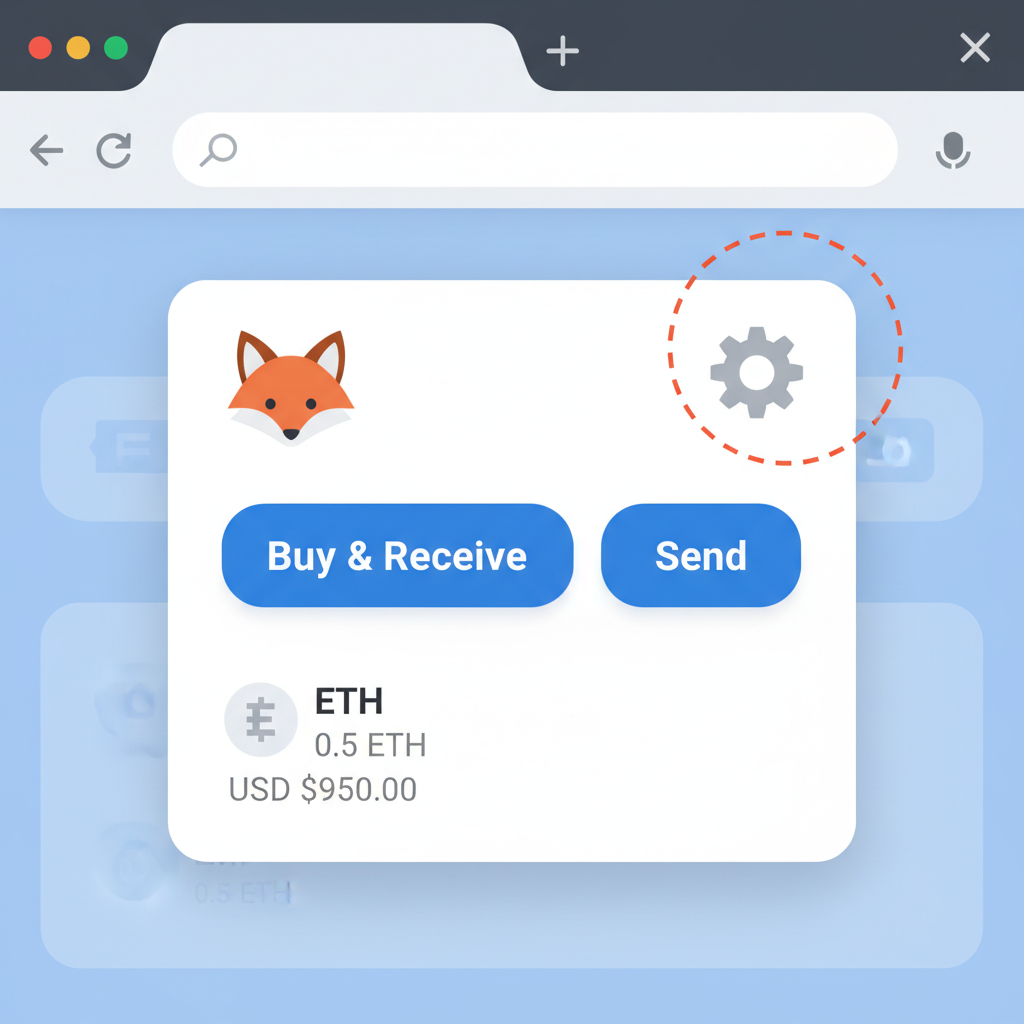
clean screenshot of MetaMask browser extension open showing settings gear icon, beginner friendly UI
Open MetaMask Settings
Begin by clicking the MetaMask extension icon in your browser toolbar (typically a fox head). Once opened, locate and select the 'Settings' or gear icon menu at the top right. This grants access to network configurations, essential for integrating Layer 2 solutions like Arbitrum, which leverages Ethereum's security while slashing fees by over 90% for scalable transactions.
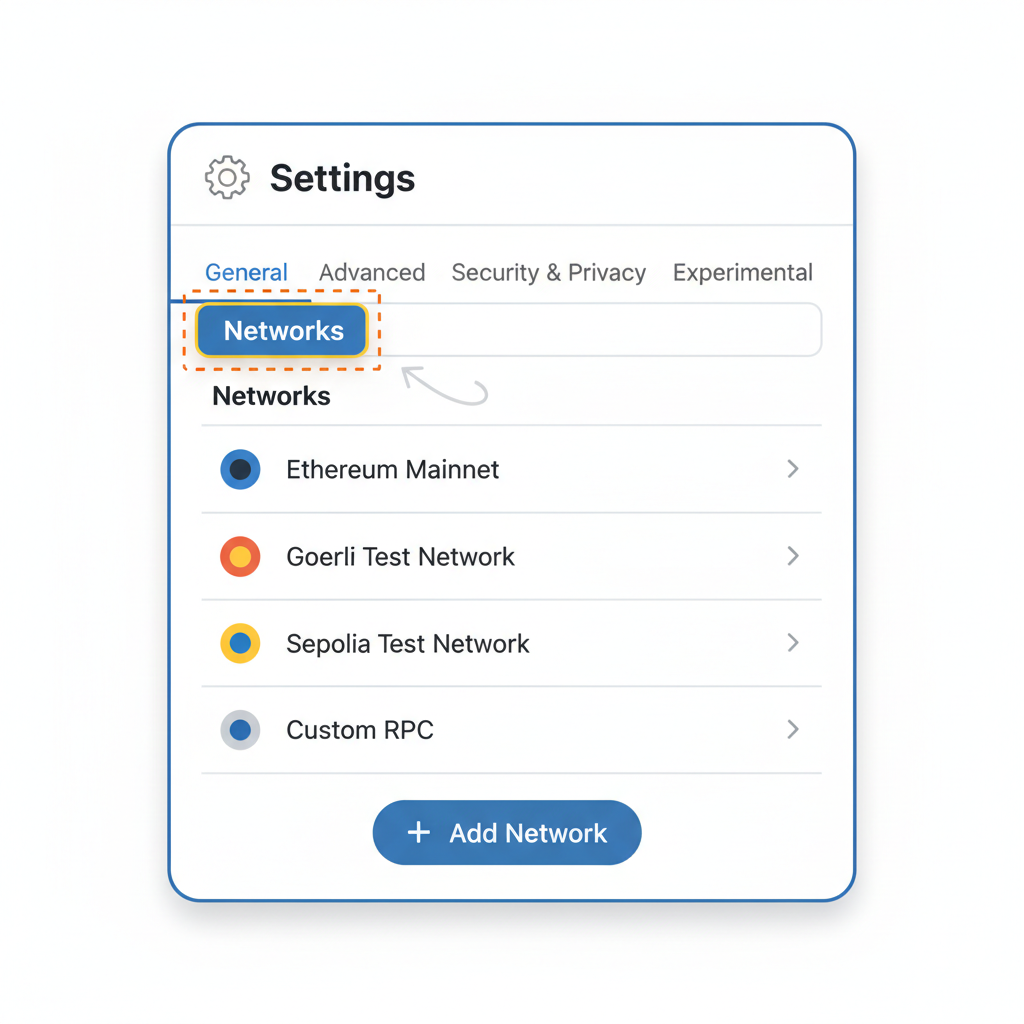
MetaMask settings menu open to Networks tab, simple interface highlight
Navigate to Networks
In the Settings menu, scroll to and select 'Networks' under the Advanced section. This centralized hub allows manual addition of custom RPC endpoints, enabling seamless connectivity to Arbitrum One—the leading optimistic rollup L2 with Chain ID 42161, offering faster confirmations than Ethereum mainnet.
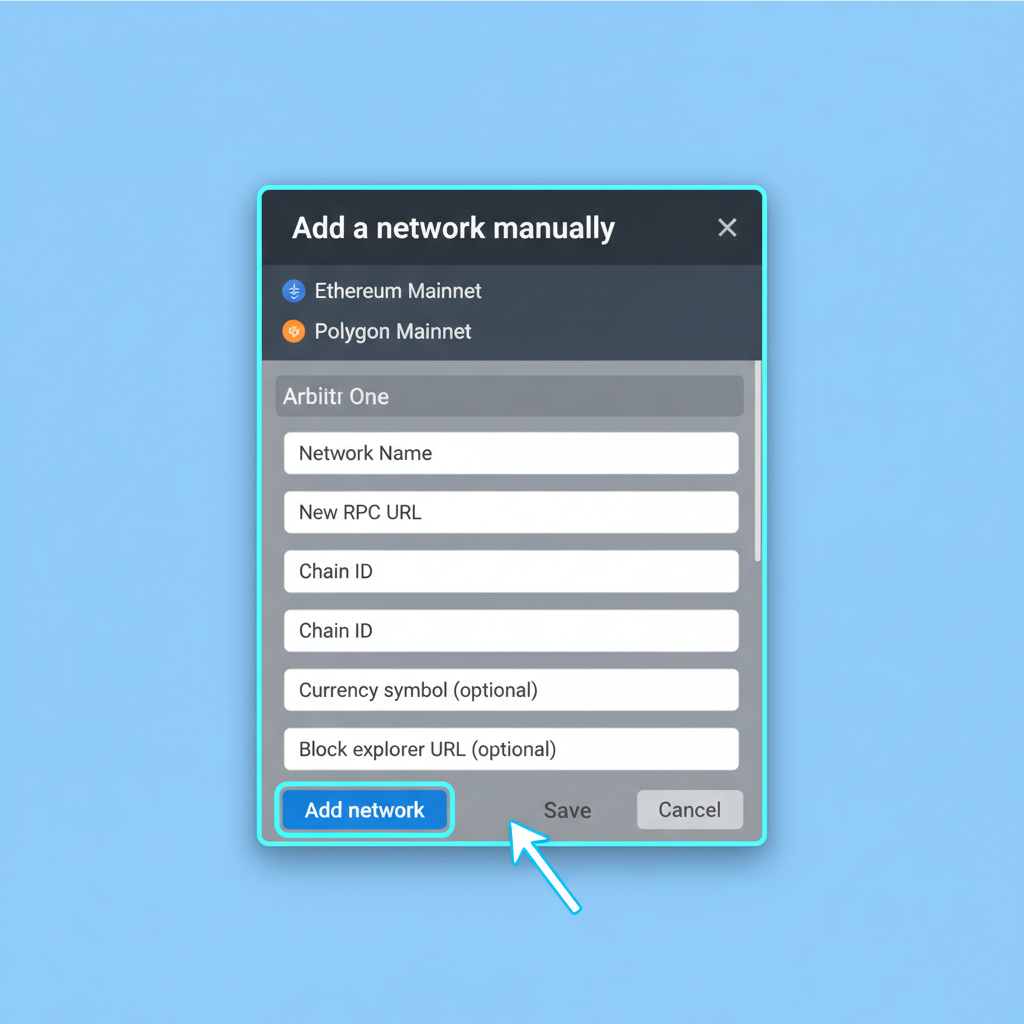
MetaMask add network button highlighted, form fields ready for input
Add a New Network
Click 'Add a network' or 'Add network manually' button. Prepare the following Arbitrum One details from official sources (arbitrum.io): Network Name: Arbitrum One; New RPC URL: https://arb1.arbitrum.io/rpc; Chain ID: 42161; Currency Symbol: ETH; Block Explorer: https://arbiscan.io. Accurate input prevents connection errors and ensures secure bridging.
MetaMask network add form filled with Arbitrum details, focused on input fields
Enter Network Details
Fill in the fields precisely: paste RPC URL for node communication, Chain ID to identify the chain uniquely, and explorer for transaction verification. Symbol remains ETH as Arbitrum inherits Ethereum's native token. Analyze: This manual setup provides control over trusted endpoints, mitigating risks from unverified auto-adds amid rising phishing threats in 2026.
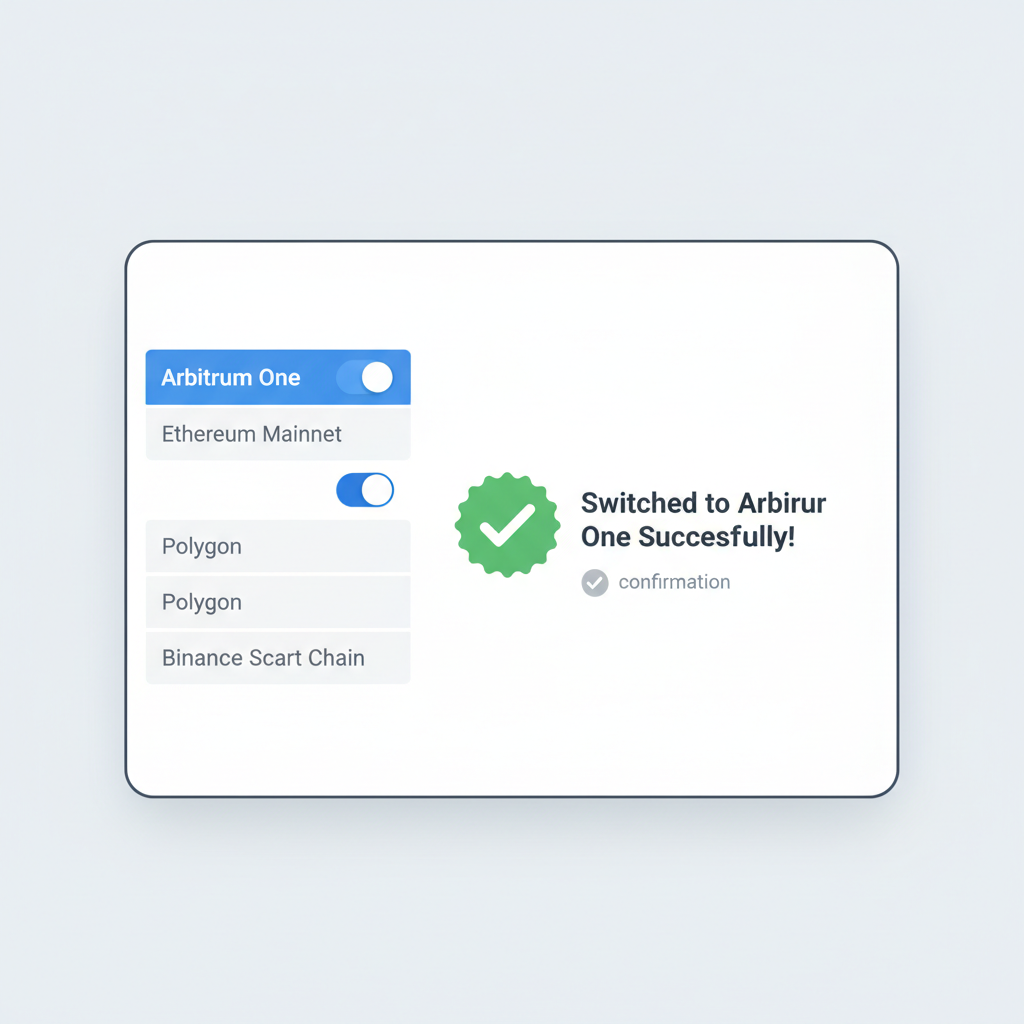
MetaMask network list with Arbitrum selected and switched, success confirmation
Save and Switch Networks
Review entries, then hit 'Save'. Arbitrum One will appear in your network dropdown—select it to switch. Verify by checking the chain ID in your wallet status. Analytically, switching activates L2's low-gas environment (fees often < $0.01 vs. mainnet's variability), priming for dApps while maintaining Ethereum-grade security via rollup proofs.

Test with a micro-transaction: swap 0.001 ETH on a DEX like Uniswap's L2 fork. Monitor via L2 explorers like Arbiscan. This bridge to Layer 2 tutorial 2026 prep sets the stage for funding, where official bridges like those from Arbitrum or Across Protocol minimize fees and risks.

Security layers matter: revoke approvals post-use via revokecash, simulate transactions on Tenderly, and track via Zerion dashboard. With ETH at $2,006.81, efficient L2 onboarding preserves capital for investments, not fees.

Now that your wallet hums with L2 configurations, the pivotal step in layer 2 onboarding arrives: bridging assets from Ethereum mainnet. This transfer fuels your L2 activities, but choose bridges wisely to sidestep exploits that have drained millions. Official bridges from Arbitrum Bridge or Optimism Gateway prioritize security, batching deposits for efficiency. Third-party options like Across Protocol shine for speed, often undercutting times to minutes with low fees, ideal when ETH trades at $2,006.81.

Mastering the Bridge to Layer 2: A 2026 Tutorial

Start on mainnet with sufficient ETH for gas; L2 deposits require mainnet collateral. Head to the bridge interface, connect MetaMask ensuring mainnet selection, deposit ETH or ERC-20s, and approve spending. Confirm the transaction; expect 10-30 minutes for L2 arrival. Fees? Pennies on L2 side, but mainnet gas varies, so time during low congestion.

Mastering ETH Bridging to Arbitrum: Efficient L2 Fund Transfer
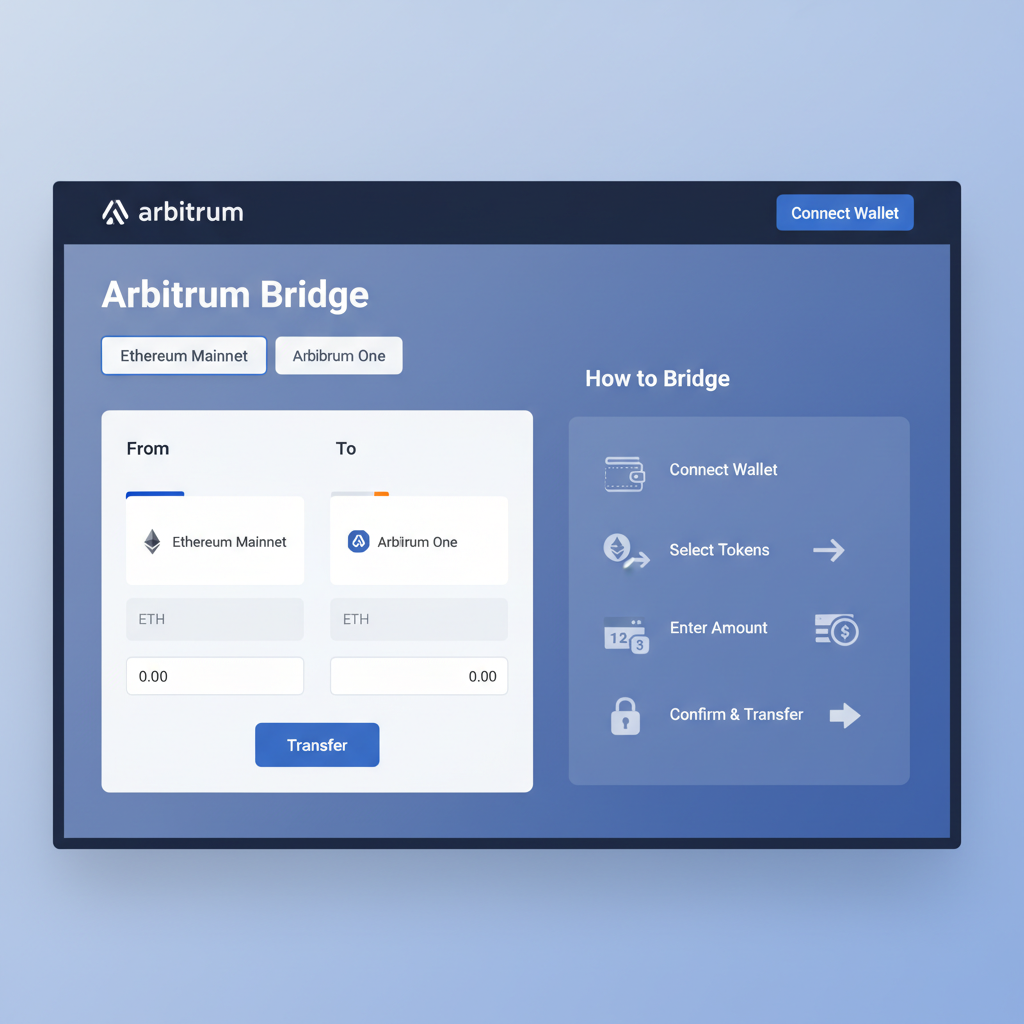
clean screenshot of Arbitrum official bridge homepage, Ethereum mainnet selector, professional UI
Select the Official Arbitrum Bridge
Choose the official Arbitrum Bridge at bridge.arbitrum.io for security and reliability, as it directly integrates with Arbitrum's optimistic rollup technology. This minimizes risks from third-party bridges, which have occasionally faced exploits. Verify you're on Ethereum mainnet to avoid accidental testnet deposits.
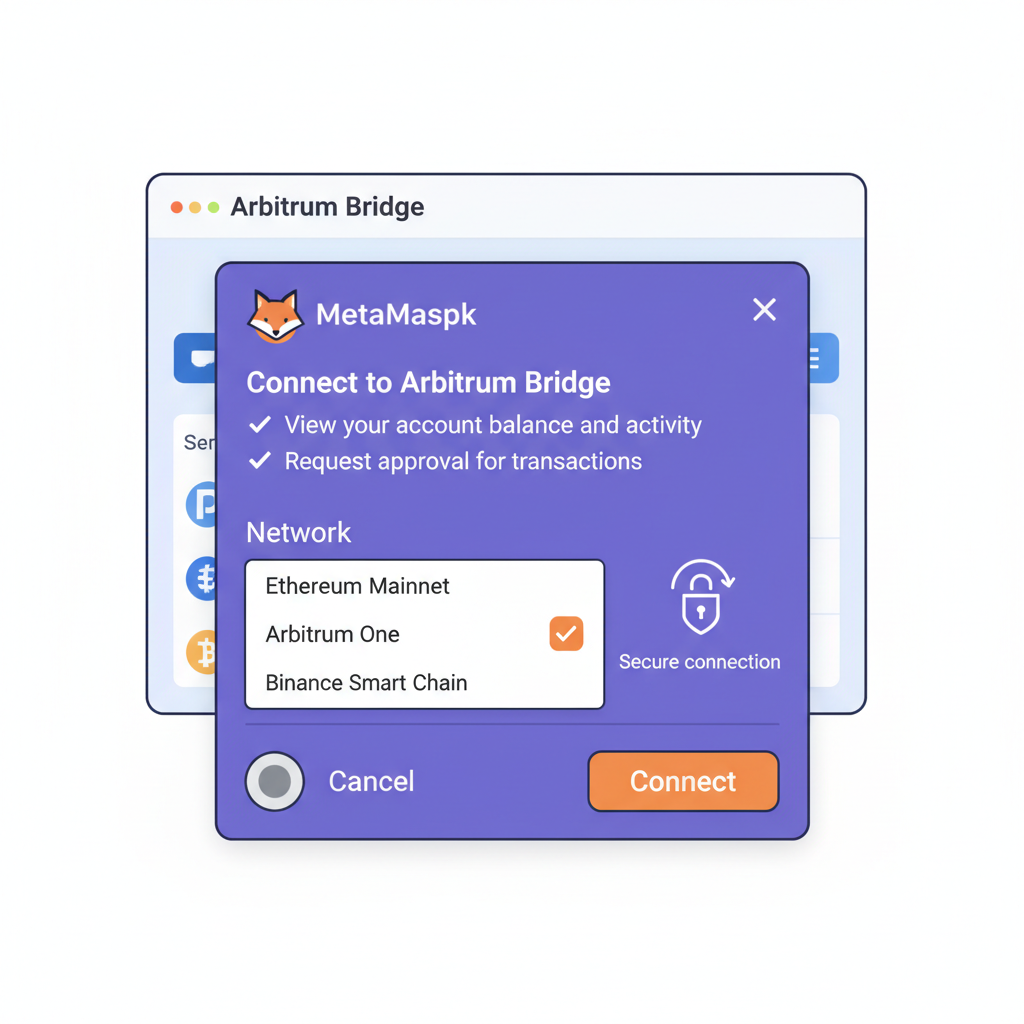
MetaMask wallet connection popup on Arbitrum bridge, Ethereum mainnet selected, secure connection illustration
Connect Your Wallet on Ethereum Mainnet
Ensure your MetaMask or compatible wallet is switched to Ethereum mainnet (Chain ID 1). Click 'Connect Wallet' on the bridge interface. This step confirms your assets are sourced from L1 Ethereum, where current ETH price stands at $2,006.81, enabling precise cost analysis for bridging fees.
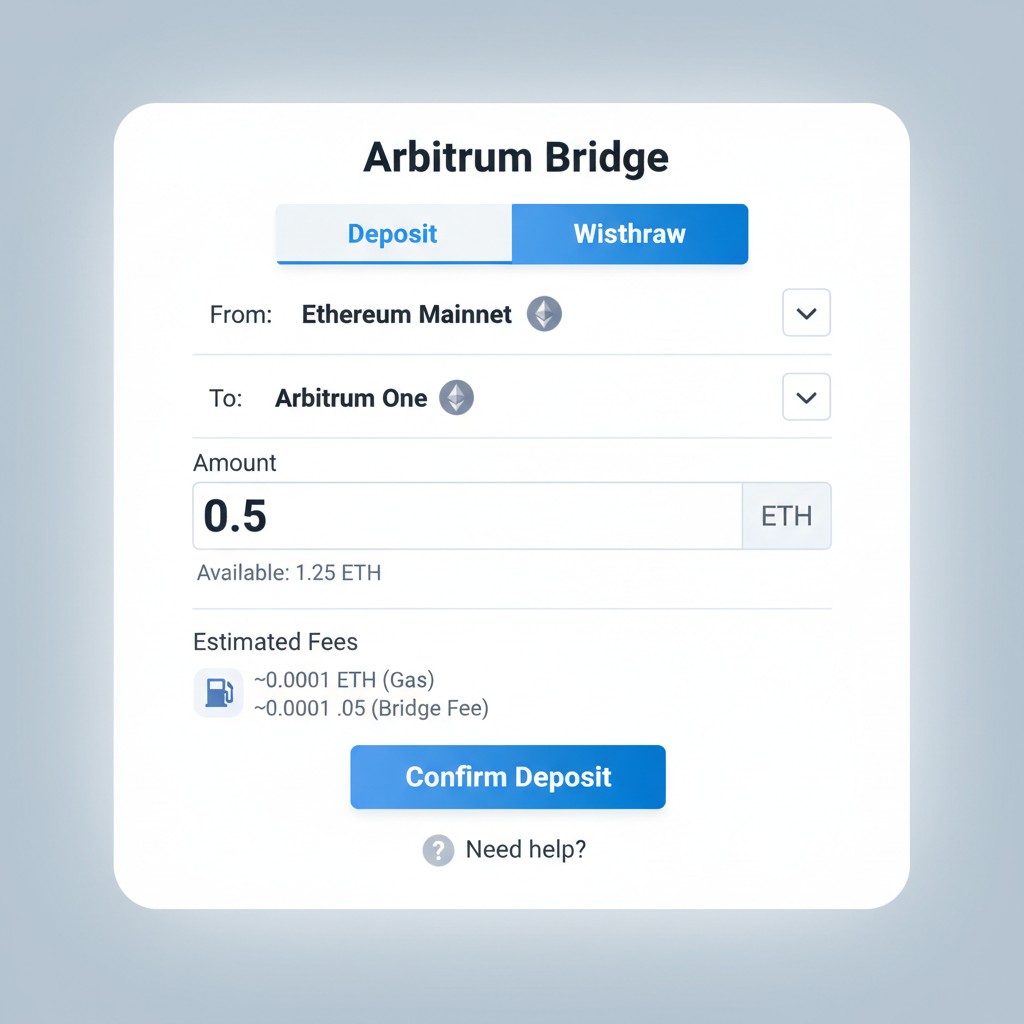
Arbitrum bridge deposit form with ETH input field, amount entered, fee preview, simple interface
Deposit Your ETH Amount
Enter the ETH amount to bridge, starting small (e.g., 0.01 ETH ≈ $20.07 at $2,006.81/ETH) for beginners to test the process. Review gas estimates; L2 bridging typically incurs mainnet fees but saves 99% on future txs. Analyze: fees fluctuate with network congestion.
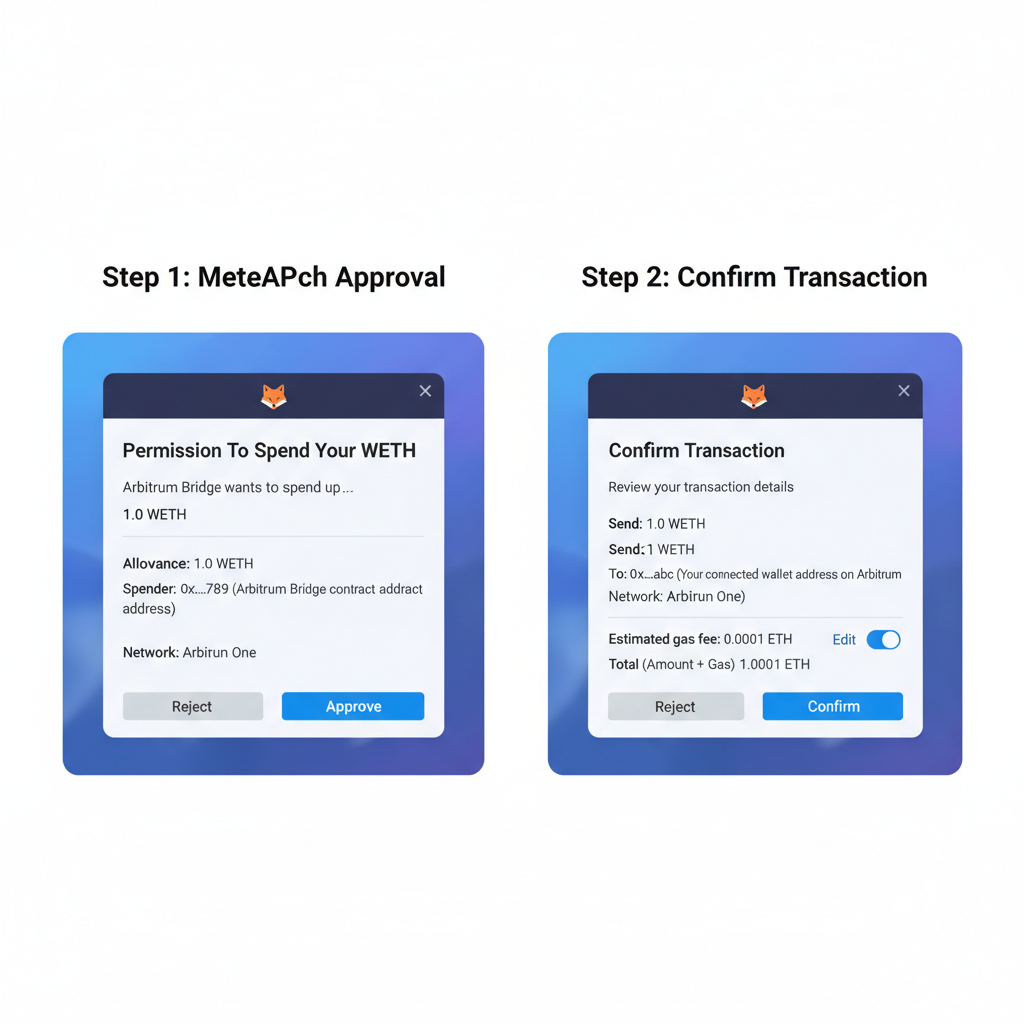
MetaMask approval and confirm screens for Arbitrum bridge tx, transaction details visible
Approve and Confirm the Transaction
First, approve the bridge contract to spend your ETH (one-time gas fee), then confirm the bridge transaction. Monitor via wallet popup. Analytically, approval separates permissions from execution, enhancing security against unauthorized spends.
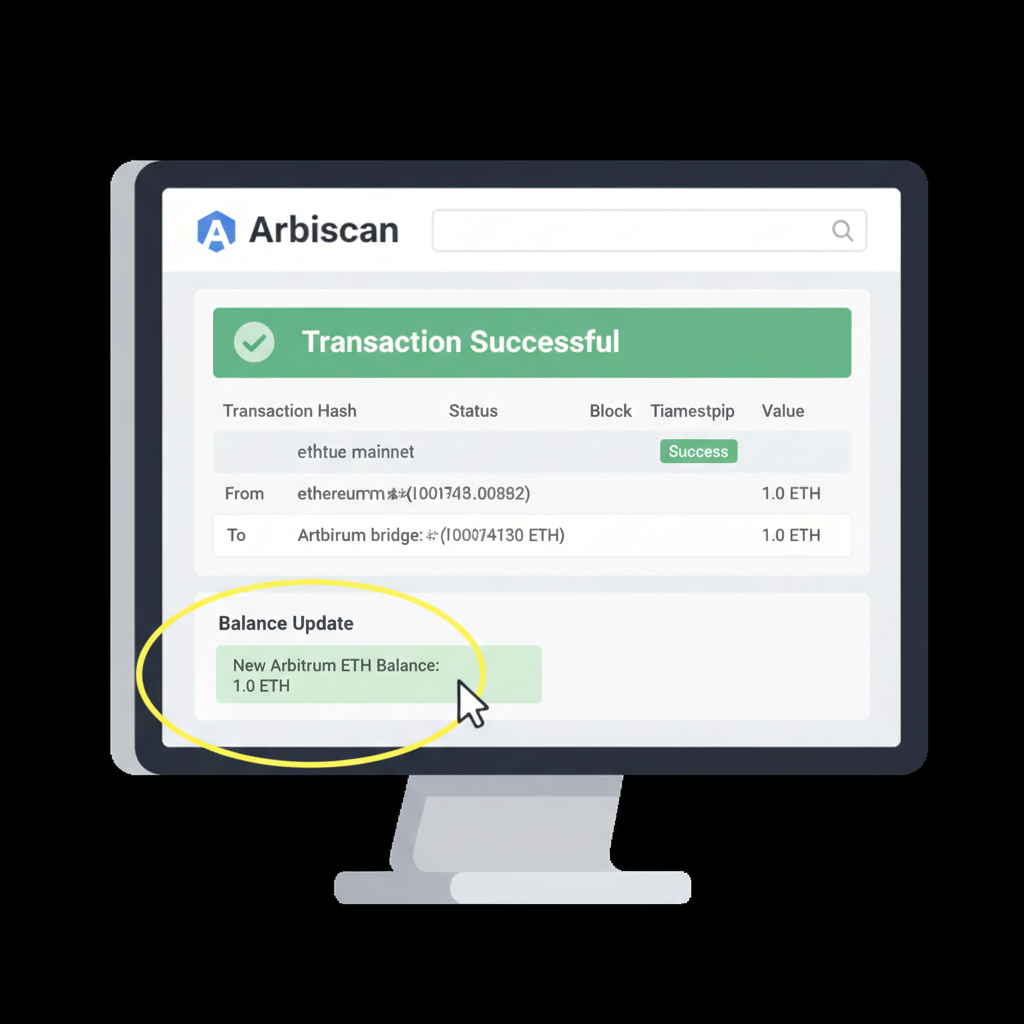
Arbiscan explorer page showing successful Arbitrum ETH deposit tx, balance update highlighted
Verify Funds on Arbiscan
Post-bridging (7-day challenge period for withdrawals, instant deposits), switch wallet to Arbitrum One (Chain ID 42161) and verify balance. Use Arbiscan.io to track tx hash: search confirms arrival, proving L2 security via L1 data availability.

Post-bridge, verify via L2 explorers: Arbiscan for Arbitrum, Optimistic Etherscan for Optimism. Balances update swiftly; discrepancies signal issues. Analytically, optimistic rollups like these dominate 70% of L2 TVL due to EVM compatibility, easing dApp porting from mainnet.

For withdrawals back to mainnet, plan ahead. Optimistic L2s impose a 7-day challenge window for fraud proofs, delaying full access. zkSync Era skips this with instant proofs, appealing for liquidity needs. Always withdraw to a fresh address, simulating first.

Comparison of Top Ethereum L2 Networks (2026)

NetworkKey StrengthsTVLAvg. Tx Fee (USD)Tx Speed
ArbitrumTVL leader, broad dApps$25B$0.04⚡ 250ms–1s
OptimismSuperchain vision, OP Stack$12B$0.03⚡ ~1s
BaseCoinbase ease, user-friendly$18B$0.02⚡ <1s
zkSyncZK security, fast finality$6B$0.01✅ Instant

Opinion: Favor Arbitrum for beginners; its ecosystem maturity reduces rug-pull risks in nascent DeFi protocols.

Interacting Safely with L2 dApps and DeFi

L2 unlocks DeFi without mainnet pain. Uniswap V3 deploys across chains, offering deep liquidity at fractions of costs. Aave lending pools thrive on Base, yields compounding efficiently. Gaming on Polygon zkEVM delivers lag-free NFTs. Connect wallet, approve minimal spends, and use multicall for batching to save gas.

Track via aggregators: DeFiLlama for yields, Zapper for positions. Set slippage tolerances low, 0.5% max, to dodge sandwich attacks prevalent on busy chains.

🔒 L2 dApp Safety Mastery Checklist

  • 🔍 Simulate transactions on Tenderly before executing any dApp interactions to preview outcomes and catch potential issues🔍
  • 🗑️ Revoke unused token approvals weekly using tools like Revoke.cash to minimize exploit risks🗑️
  • 🔐 Implement multisig wallets for team-managed funds, distributing control to reduce single points of failure🔐
  • 📊 Regularly monitor personalized Dune dashboards for on-chain activity and anomaly detection📊
  • 🌐 Diversify across multiple L2 chains like Arbitrum, Optimism, and Base to mitigate chain-specific risks🌐
Excellent! You've mastered essential L2 dApp safety practices, enhancing your security in Ethereum's Layer 2 ecosystem.

With Ethereum at $2,006.81, L2 positions amplify returns; a 10% APY on stablecoins compounds meaningfully over years, aligning with steady wealth principles.

Advanced Security and Long-Term L2 Strategies

Beyond basics, integrate account abstraction via ERC-4337 for gasless txs and social logins, rolling out widely in 2026. Hardware like Ledger supports L2 natively; pair with multisig via Safe for teams. Monitor MEV protection via Flashbots bundles on L2.

Phishing evolves: fake airdrop sites mimic L2 UIs. Bookmark official domains, use hardware confirmations, and enable transaction simulations. Regularly audit approvals on Revoke. cash; dormant ones invite drains.

L2 Wallet Mastery: Top FAQs for Secure 2026 Onboarding

How long does it take to withdraw funds from an Ethereum Layer 2 network?
Withdrawals from Ethereum Layer 2 (L2) networks, particularly optimistic rollups like Optimism and Arbitrum, typically involve a 7-day challenge period. This security feature allows time for fraud proofs to be submitted before funds can be withdrawn to the Ethereum mainnet. In contrast, zk-rollups like Polygon or zkSync enable faster withdrawals due to cryptographic validity proofs. Always check the specific L2's documentation for exact timelines, and plan accordingly to avoid liquidity issues during this waiting period. Bridging back requires sufficient gas on L1.
⏱️
What is the best bridge for fast and efficient transfers to Layer 2 networks?
Across Protocol stands out as one of the fastest bridges for transferring assets to Ethereum L2 networks like Base or Optimism, often completing in under 5 minutes with low fees. It uses intents-based bridging for optimized liquidity and speed. Other reliable options include official bridges from Arbitrum or Optimism. Always connect via official sites, verify transactions on Etherscan, and start with small amounts to test. This analytical approach minimizes costs while maximizing efficiency in your L2 onboarding.
🚀
Are gasless transactions possible on Ethereum Layer 2 networks?
Yes, gasless transactions are possible on many Ethereum L2 networks through ERC-4337 account abstraction. This standard allows users to pay fees with ERC-20 tokens or have sponsors cover gas, eliminating the need for native ETH in the wallet. Wallets like MetaMask with smart accounts support this on networks such as Base and zkSync Era. It enhances user experience for beginners by reducing friction, but ensure your dApp and wallet are updated for compatibility. Security remains paramount—review paymasters carefully.
💨
Can I recover my wallet if I lose my seed phrase?
No, recovering a lost seed phrase is impossible without the original 12-24 word backup, as it's the sole key to your wallet's private keys across Ethereum and L2 networks. Hardware wallets like Ledger add protection but still rely on secure seed storage. Best practice: Write it offline, store in multiple secure locations (e.g., metal plates), never screenshot or share. During L2 setup with MetaMask, prioritize this step to safeguard funds against phishing or loss, ensuring long-term security in DeFi.
🔒
How do I securely add an L2 network to my MetaMask wallet?
To securely add an L2 network like Arbitrum or Optimism to MetaMask, visit the official L2 website for RPC URL, Chain ID, Currency Symbol, and Block Explorer. In MetaMask, go to Settings > Networks > Add Network, input details manually, or use one-click RPCs. Download MetaMask only from metamask.io, enable two-factor if available, and verify no malware. Fund via official bridges post-setup. This methodical process, combined with hardware wallet integration for large holdings, optimizes security and usability on L2s.
🔗

Strategically, ladder across L2s: 40% Arbitrum for liquidity, 30% Optimism for OP tokens, 20% Base for ramps, 10% zkSync for privacy. Rebalance quarterly, bridging minimally to curb costs. This secure crypto wallet L2 approach fortifies against volatility, positioning you for Ethereum's next phase.

As L2 TVL rivals mainnet staking, these networks cement DeFi's viability. Your fortified wallet, bridged judiciously, navigates 2026's ecosystem with precision, turning Ethereum's $2,006.81 stability into enduring gains.