
As Ethereum's price holds steady around $1,968.89, with a minor 24-hour dip of $5.70, now stands as a prudent moment for beginners to explore Layer 2 solutions like Base. This network slashes transaction costs while maintaining Ethereum's security, ideal for onchain trading without the mainnet's hefty fees. Onboarding Tool 10 simplifies this Base L2 wallet setup, guiding novices through secure configuration for low-risk entry into decentralized markets.
I've seen traders lose fortunes from hasty setups in my 18 years spanning commodities and crypto. That's why I advocate starting conservative: prioritize self-custody wallets over custodial ones. Base, built by Coinbase, leverages optimistic rollups for speed, but your first task remains forging a robust wallet foundation.
Selecting a Wallet Compatible with Base for Onchain Trading
For onchain trading Base beginners, stick to proven options like MetaMask, Coinbase Wallet, or Zerion. MetaMask suits browser enthusiasts with its extension ease, while Coinbase Wallet offers mobile seamlessness, especially post its Base app rebrand blending trading and social features. Avoid flashy newcomers; reliability trumps novelty when preserving capital.
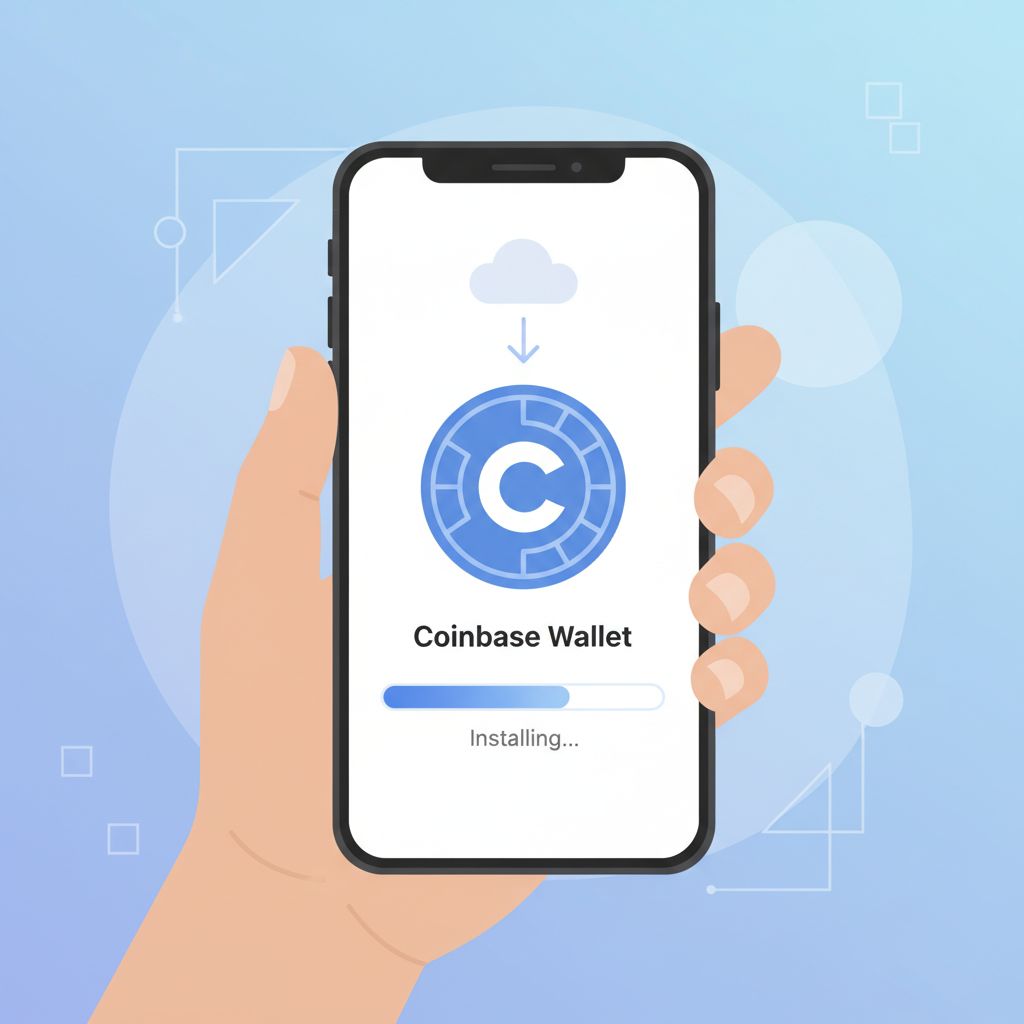
Download from official sources only: Chrome Web Store for MetaMask, App Store or Google Play for others. During installation, opt for a new wallet creation. The 12-word recovery phrase is your lifeline; etch it on metal, store offline, never screenshot. I've counseled clients who ignored this, watching assets evaporate from phishing.
Manually Adding the Base Network to Your Wallet
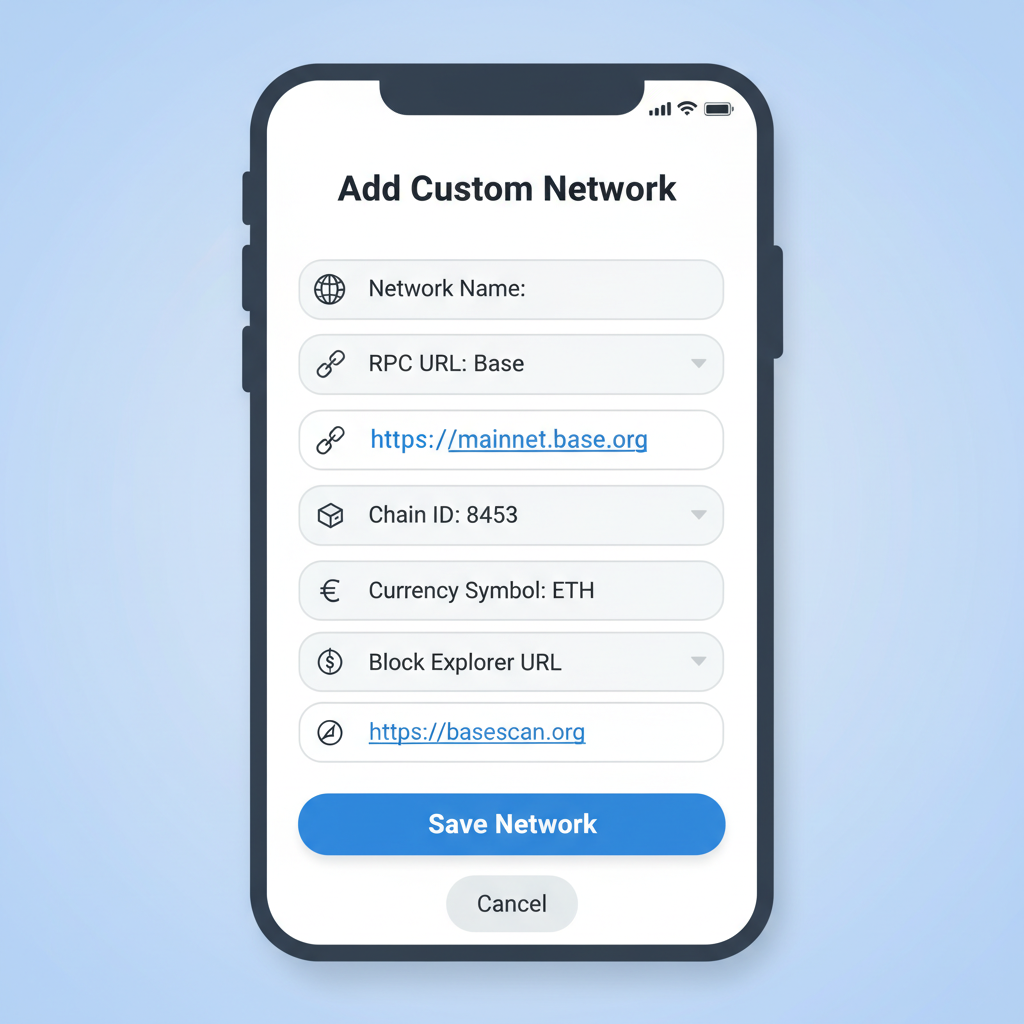
Base isn't always pre-loaded, demanding manual RPC configuration. In MetaMask, hit the network dropdown, select 'Add Network, ' then input: Network Name 'Base, ' RPC URL 'https://mainnet.base.org, ' Chain ID 8453, Currency Symbol ETH, Block Explorer 'https://basescan.org.' Save, and switch over. Coinbase Wallet users: extension login, then network settings mirror these specs.
This Layer 2 onboarding guide step unlocks Base's sub-cent fees, vital as ETH lingers at $1,968.89. Test with a micro-transaction post-setup; confirm via Basescan. Onboarding Tool 10's wizard automates this, cross-verifying inputs to sidestep errors that plague manual attempts.
Picture deploying trades at 24h highs near $2,001.87 without mainnet gouges. Yet prudence dictates verifying chain ID rigorously; mismatches invite drainage via wrong-network scams.
Funding Your Base Wallet Prudently with ETH
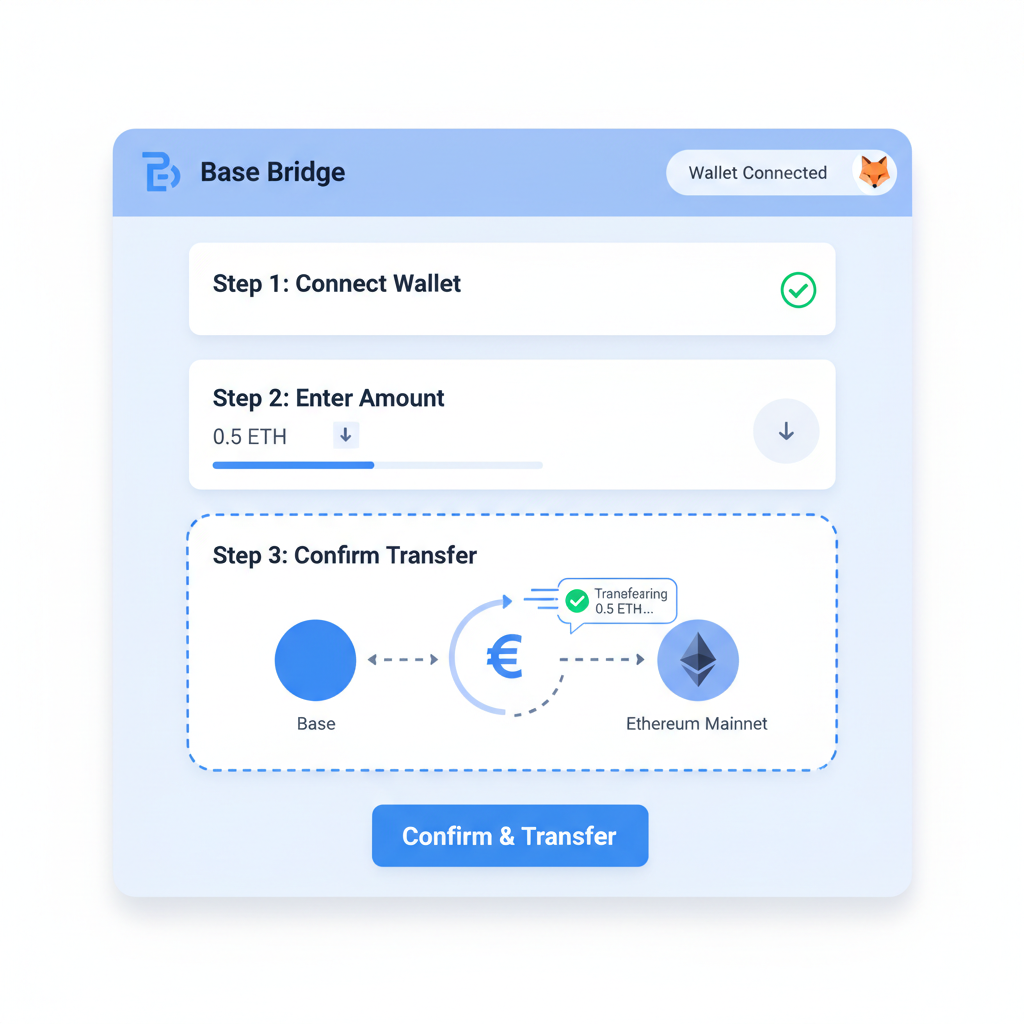
Zero balance means zero trading. Bridge ETH from Ethereum mainnet via bridge. base. org: connect wallet, deposit, confirm. Expect 10-30 minutes, factoring gas at current levels. Exchanges like Coinbase permit direct Base withdrawals to your address, faster sans bridging delays.
Start small: $50 ETH suffices for learning. Monitor 24h lows like $1,907.15 for opportune bridges. Onboarding Tool 10's checklist flags optimal times, integrating real-time ETH data at $1,968.89. Resist impulses; I've traded oil futures long enough to know capital preservation precedes profits.
Onboarding Tool 10 elevates this process with its funding tracker, alerting users to gas-efficient windows when ETH dips toward recent lows like $1,907.15. Bridges carry risks; always double-check recipient addresses. Direct deposits from compliant exchanges minimize exposure, aligning with my rule: control keys, control destiny.
Fortifying Security in Your Base Network Wallet Tutorial
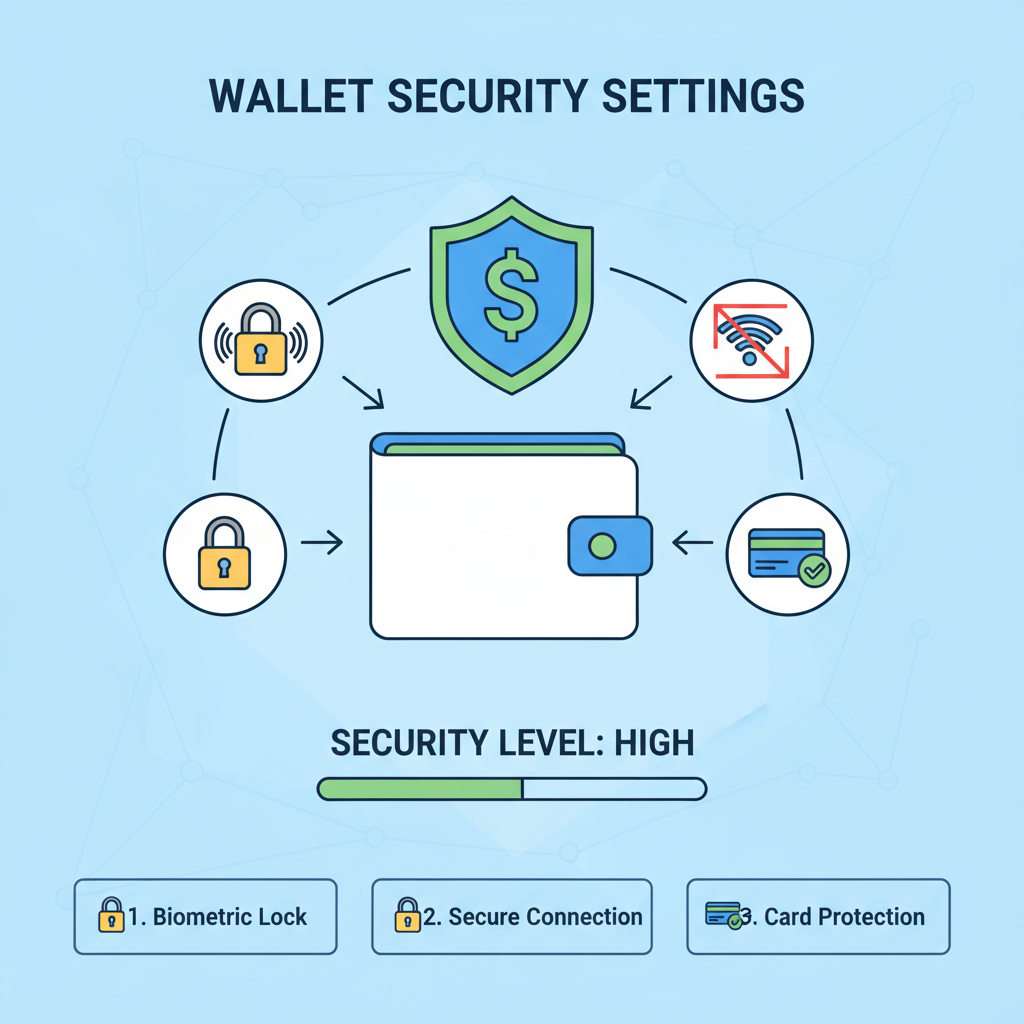
Security isn't optional; it's the bedrock of onchain trading Base beginner success. Activate biometrics and auto-lock immediately. Set a passphrase atop your seed phrase for dual-layer defense. Hardware wallets like Ledger or Trezor integrate seamlessly with MetaMask via WalletConnect, shielding keys offline. I've migrated fortunes from hot to cold storage during volatile oil swings; apply the same discipline here.
Scrutinize dApp permissions weekly via Basescan or Revoke. cash equivalents. Base's optimistic rollups amplify speed, but phishing thrives in hype. Onboarding Tool 10's security scanner audits connections pre-trade, flagging anomalies. With ETH at $1,968.89, a single lapse could erase gains from 24-hour highs near $2,001.87.
Secure Base L2 Wallet Setup: Prudent Steps for Onchain Trading Beginners
Connecting Seamlessly to Onboarding Tool 10 for Layer 2 Onboarding Guide
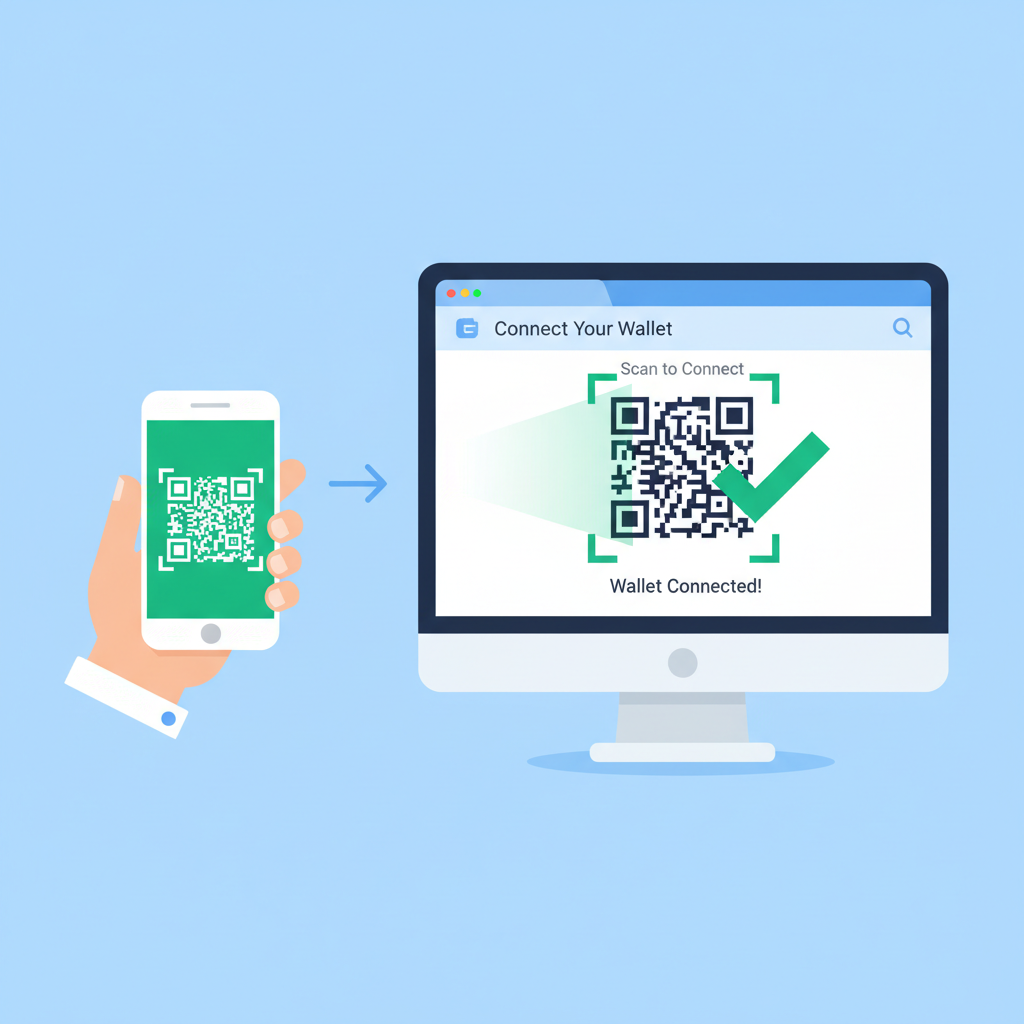
Wallet primed? Link to Onboarding Tool 10 at onboardingtool10. com. Its wizard detects Base, prompting wallet approval. Scan QR or approve via extension; verify site ownership through EIP-4361 signatures. This base network wallet tutorial integration unlocks checklists for L2 swaps, yields, and trades minus mainnet friction.
Tool 10's dashboard mirrors your balance in real-time, ETH steady at $1,968.89. Test connectivity with a dust swap on Aerodrome or Uniswap Base deployments. Success confirms readiness. Beginners often rush; pause, audit transaction simulations. My commodities tenure taught patience yields edges over haste.
Base fosters creator economies and everything-apps like the rebranded Coinbase Wallet, blending chats, trades, social. Yet prudence curbs euphoria. Allocate no more than 5% portfolio initially. Monitor via tool's alerts, scaling as proficiency grows.
Initiating Safe Onchain Trades on Base with Conservative Strategies
First trade: liquidity pools on Base protocols. Onboarding Tool 10 curates vetted pairs, simulating impermanent loss. Start with stablecoin pairs; volatility suits veterans. ETH's 24-hour change of -$5.70 underscores stability's appeal. Position size tiny, exits predefined. I've preserved capital through crashes by exiting at 20% drawdowns.
Layered orders via limit tools beat market buys. Tool 10's L2 checklists sequence this: approve spend, swap, bridge back if needed. Track via Basescan; explorers reveal whale moves informing entries.
Base's sub-cent fees empower frequent adjustments, unlike Ethereum's tolls at current gas regimes. Pair with stablecoin yields for passive accrual. My FRM lens favors defined-risk plays: options vaults, hedged perps on Base DEXs.
Refine iteratively. Log trades, review via tool analytics. Community frames like Farcaster offer signals, but verify independently. As ETH holds $1,968.89, Base positions traders for efficiency without speculation's pitfalls. Capital endures; equip yours wisely through this setup.



No comments yet. Be the first to share your thoughts!